

load.tw Blog
Image hosting tips, sharing tricks, tool tutorials — all in one place.
 2026.09.23
關於 load.tw EXIF 與隱私安全的說明
關於 load.tw EXIF 與隱私安全的說明
 2026.09.23
圖片、影片分享推薦:load.tw 永久無廣告,分享連結更安心
圖片、影片分享推薦:load.tw 永久無廣告,分享連結更安心
 2026.09.23
航空聯盟有哪些?一次看懂天合、星空、寰宇一家與獨立航空哩程計畫
航空聯盟有哪些?一次看懂天合、星空、寰宇一家與獨立航空哩程計畫 對於經常出國旅遊、累積航空哩程或使用信用卡累積里程的人來說,了解航空公司的「航空聯盟」非常重要。不同航空公司會加入不同的航空聯盟,旅客除了可以透過搭乘同聯盟航班累積哩程,也可能享有會員等級、機場貴賓室、優先登機等相關優惠。 目前全球主要的航空聯盟包括天合…
 2026.04.29
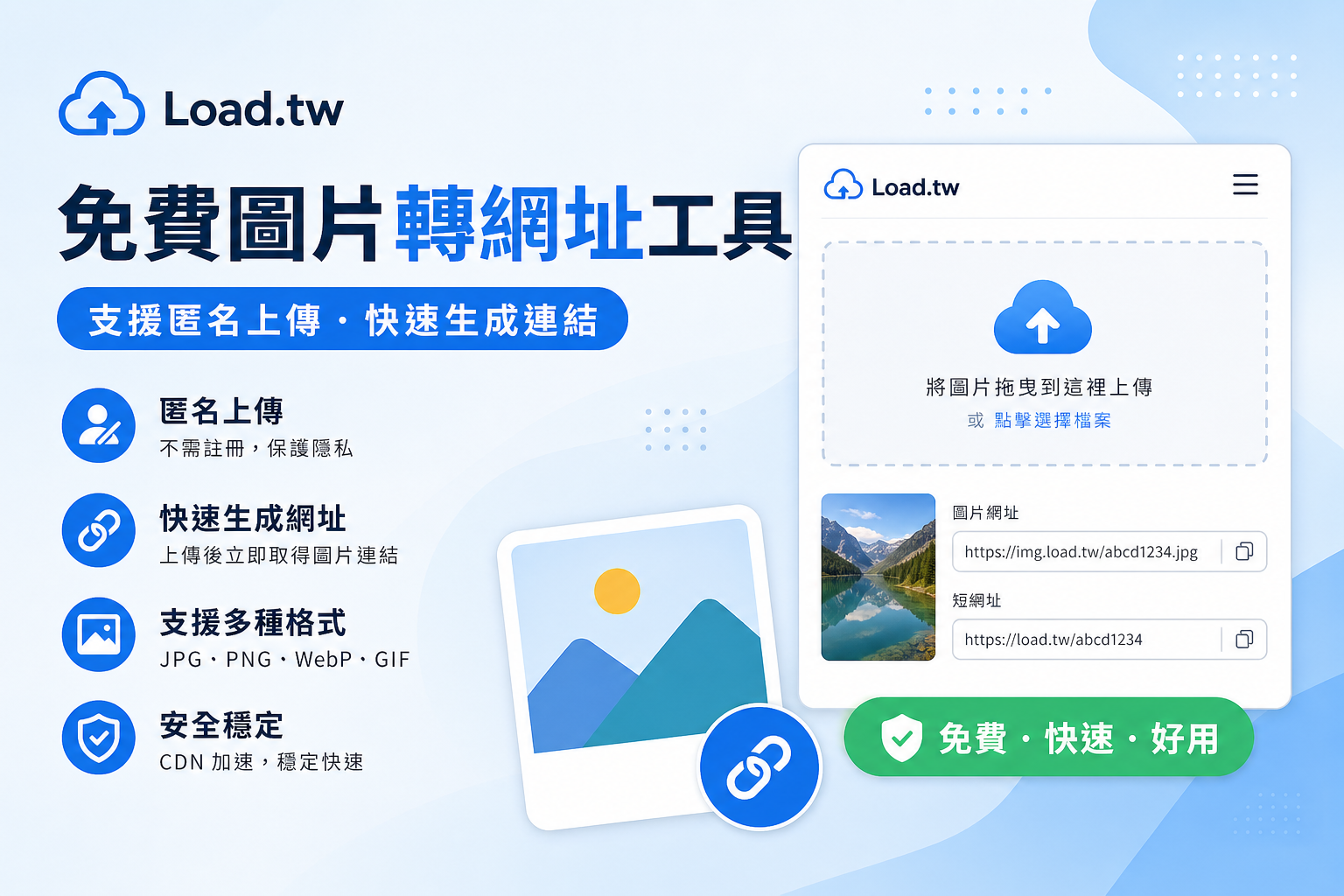
免費圖片轉網址工具:支援匿名上傳
如果你正在尋找一個免費、快速且操作簡單的圖片轉網址工具,那麼 Load.tw 是非常值得嘗試的選擇。透過這個平台,你可以在幾秒鐘內完成圖片上傳並生成網址。
 2026.04.27
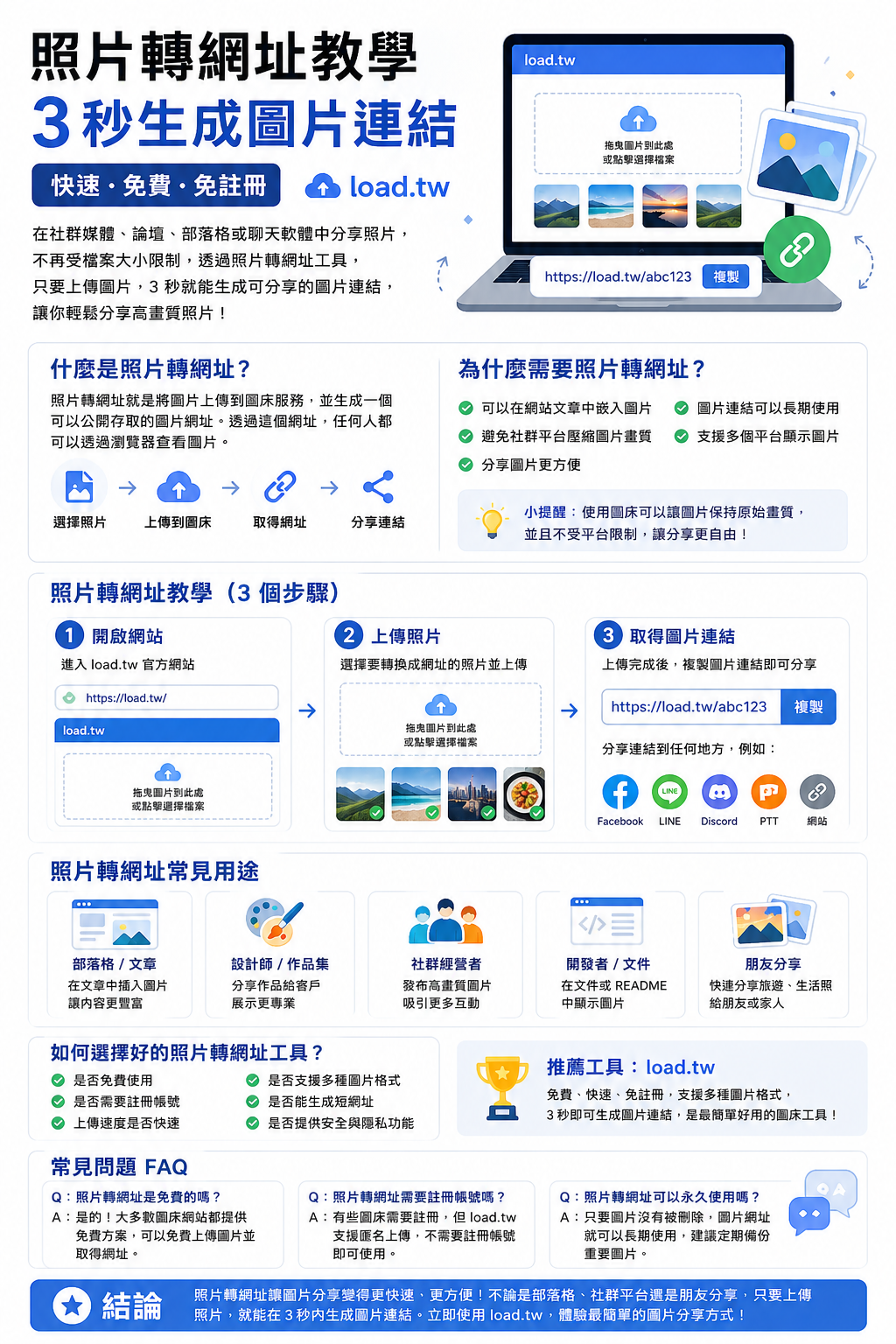
照片轉網址教學|3 秒生成圖片連結
透過照片轉網址服務,你只需要上傳圖片,就可以在幾秒鐘內取得一個圖片網址。這個網址可以貼到任何地方,例如社群媒體、LINE、Discord、PTT 或網站文章中,讓其他人透過連結直接查看圖片。
 2026.04.27
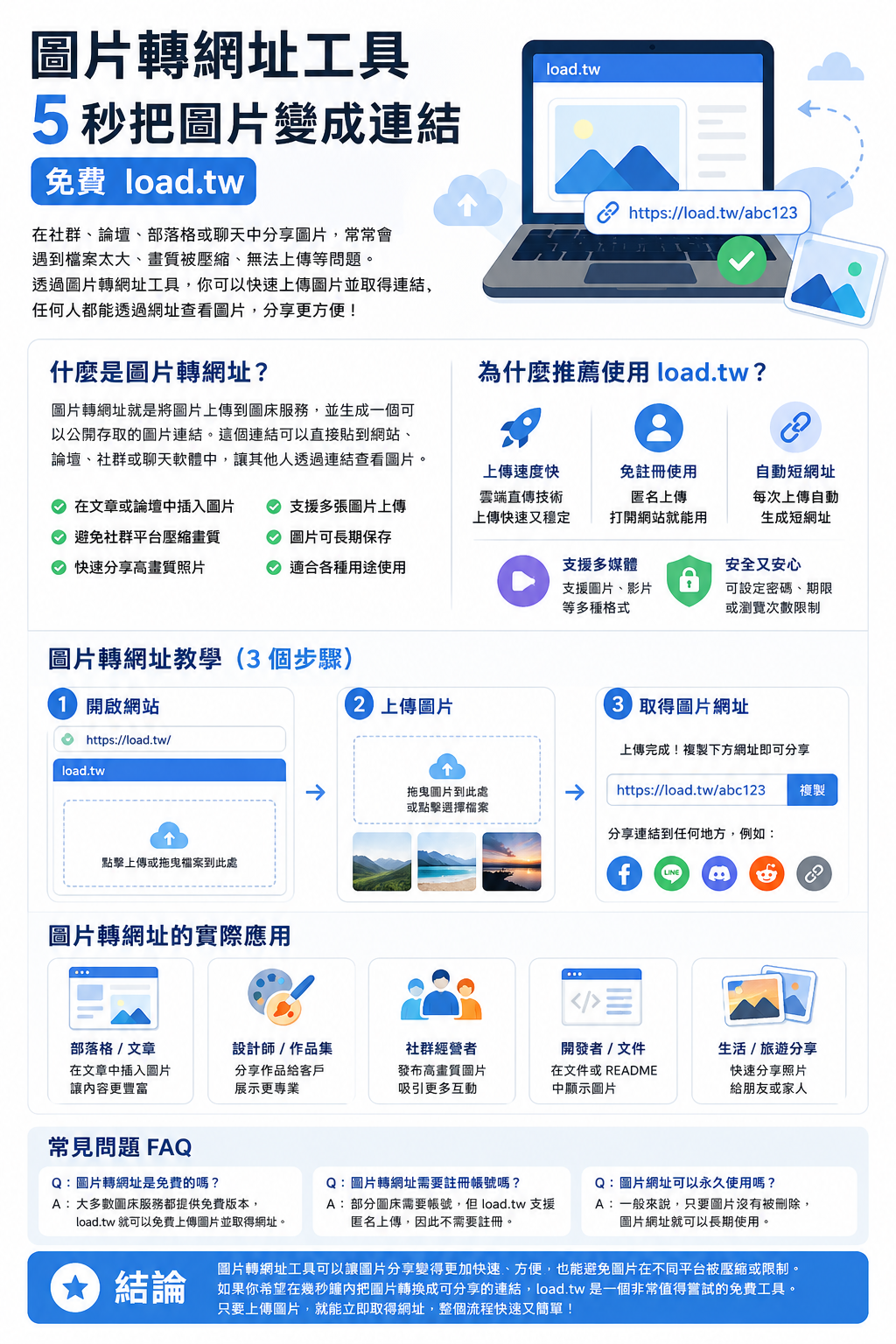
圖片轉網址工具|5 秒把圖片變成連結(免費 load.tw)
「圖片轉網址」工具逐漸成為許多人常用的解決方案。透過圖片轉網址服務,你可以將電腦或手機中的圖片快速上傳到網路,並生成一個可以公開存取的圖片連結。
 2026.04.24
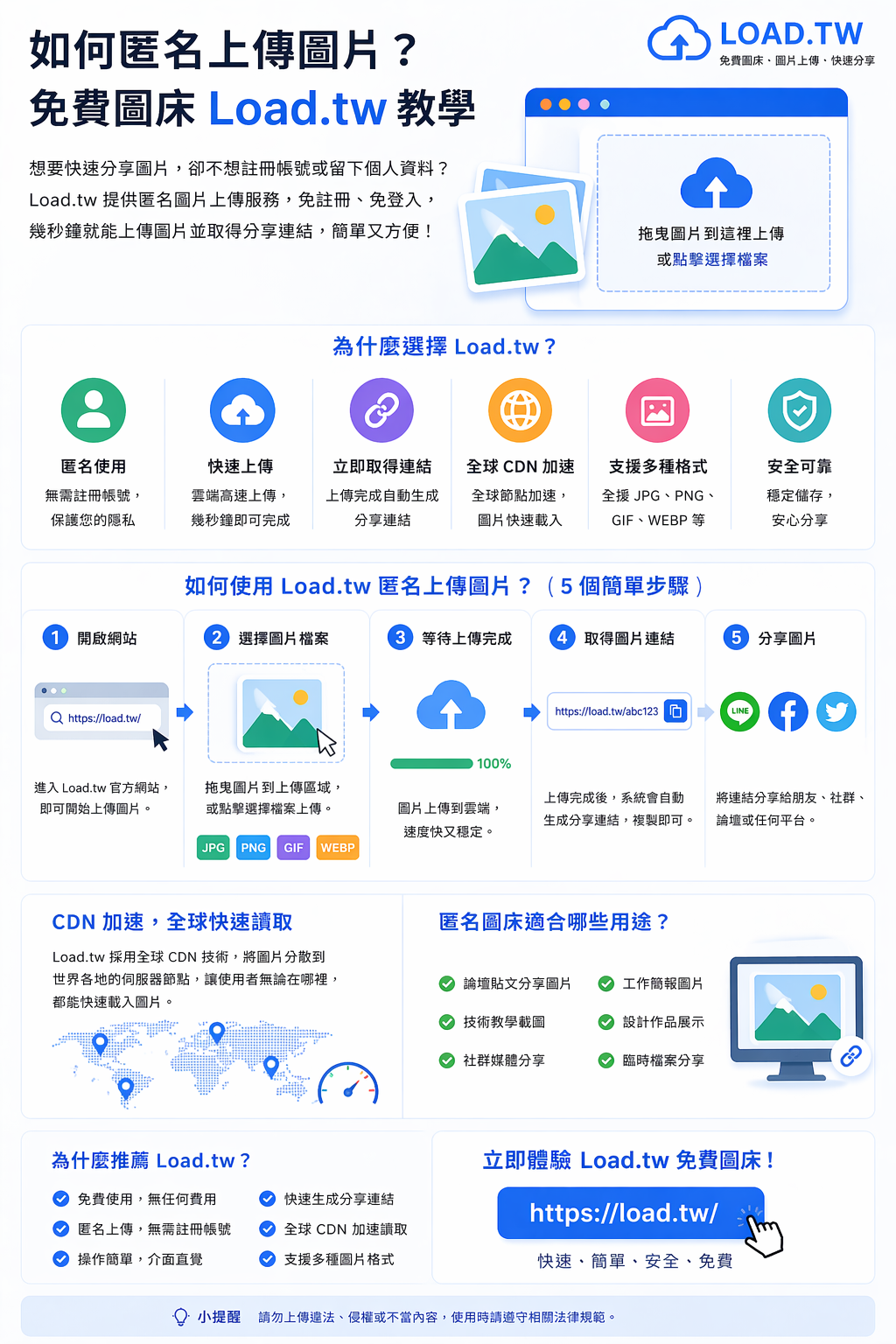
如何匿名上傳圖片?免費圖床 load.tw 教學
如果你正在尋找一個可以匿名上傳圖片的免費圖床服務,那麼Load.tw是一個非常值得推薦的選擇。它不需要註冊帳號,只要打開網站就能快速上傳圖片並生成分享連結。
 2026.04.24
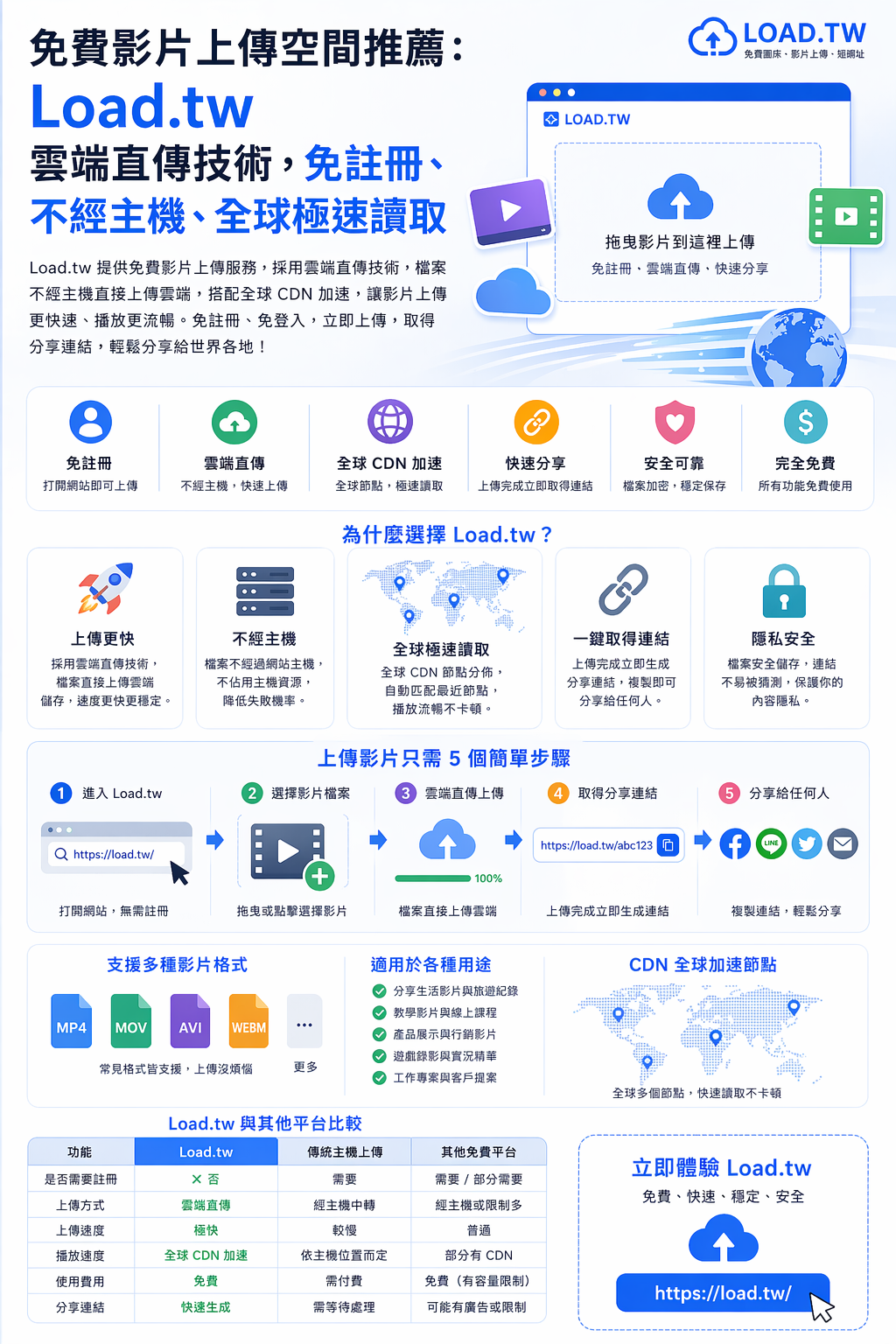
免費影片上傳空間推薦:Load.tw 雲端直傳技術,免註冊、不經主機、全球極速讀取
本篇文章將詳細介紹 Load.tw 的影片上傳功能、技術優勢、實際使用方式,以及適合哪些人使用,幫助你更了解這個強大的多媒體分享平台。在影音內容越來越普及的今天,一個快速、穩定且方便的影片上傳空間非常重要。
 2026.04.24
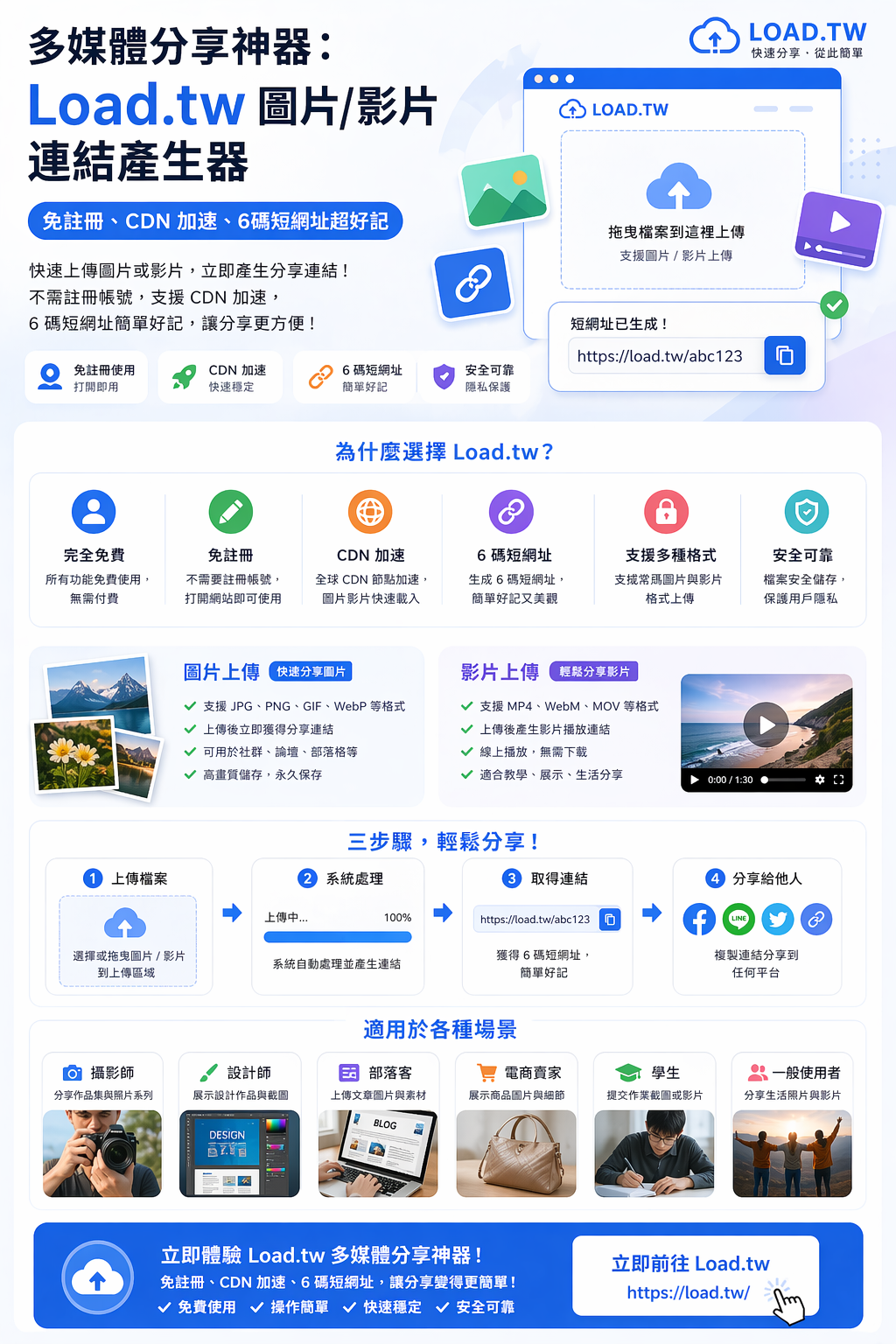
多媒體分享神器:Load.tw 圖片/影片連結產生器,免註冊、CDN 加速、6碼短網址超好記
Load.tw提供圖片與影片連結產生、免註冊使用、CDN 加速以及簡潔的 6 碼短網址,讓使用者可以在幾秒鐘內完成多媒體分享。
 2026.04.24
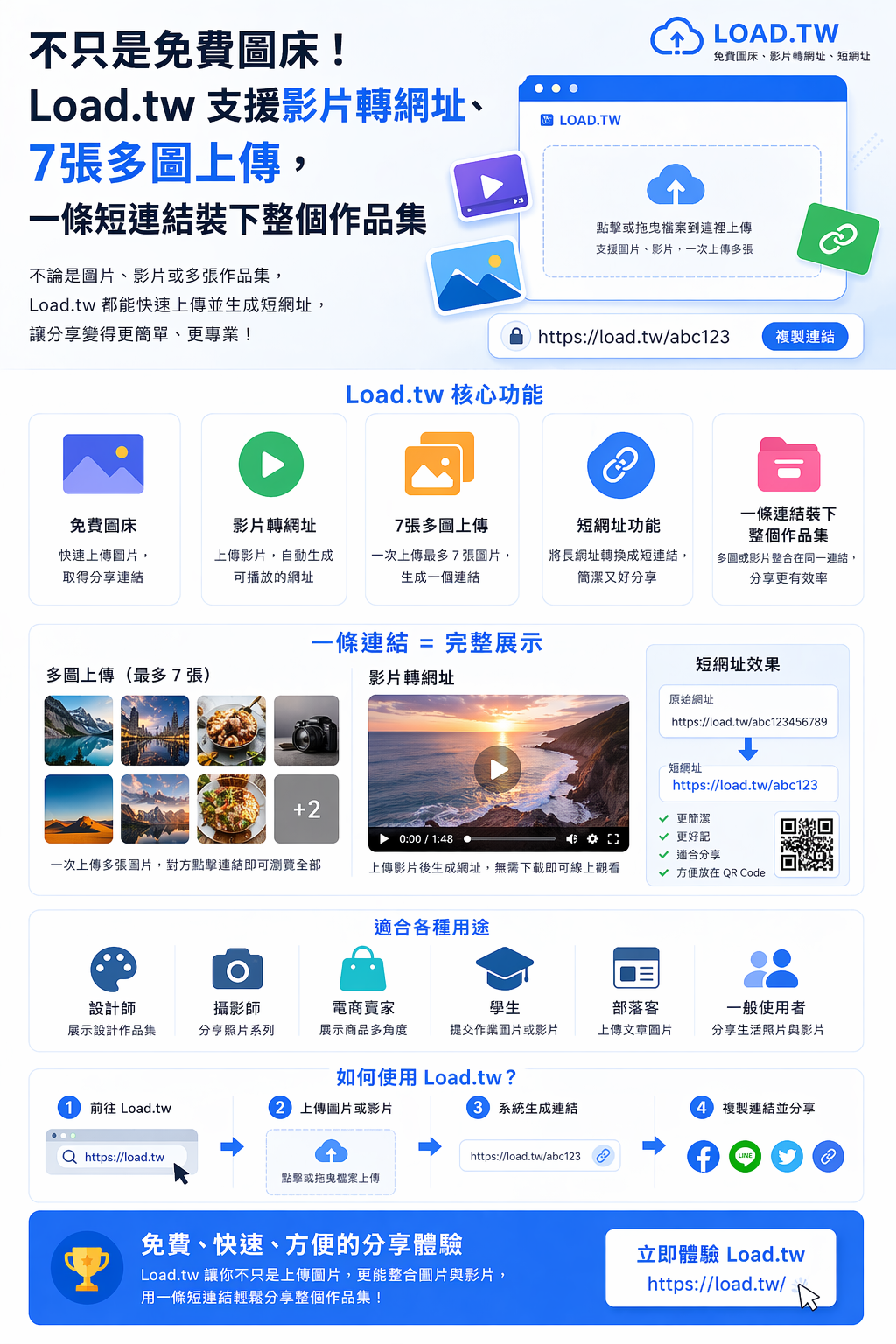
不只是免費圖床!Load.tw 支援影片轉網址、7張多圖上傳,一條短連結裝下整個作品集
Load.tw不僅提供免費圖床服務,還支援影片轉網址、多圖上傳與短網址功能,讓使用者可以用一條連結分享完整內容。
 2026.04.24
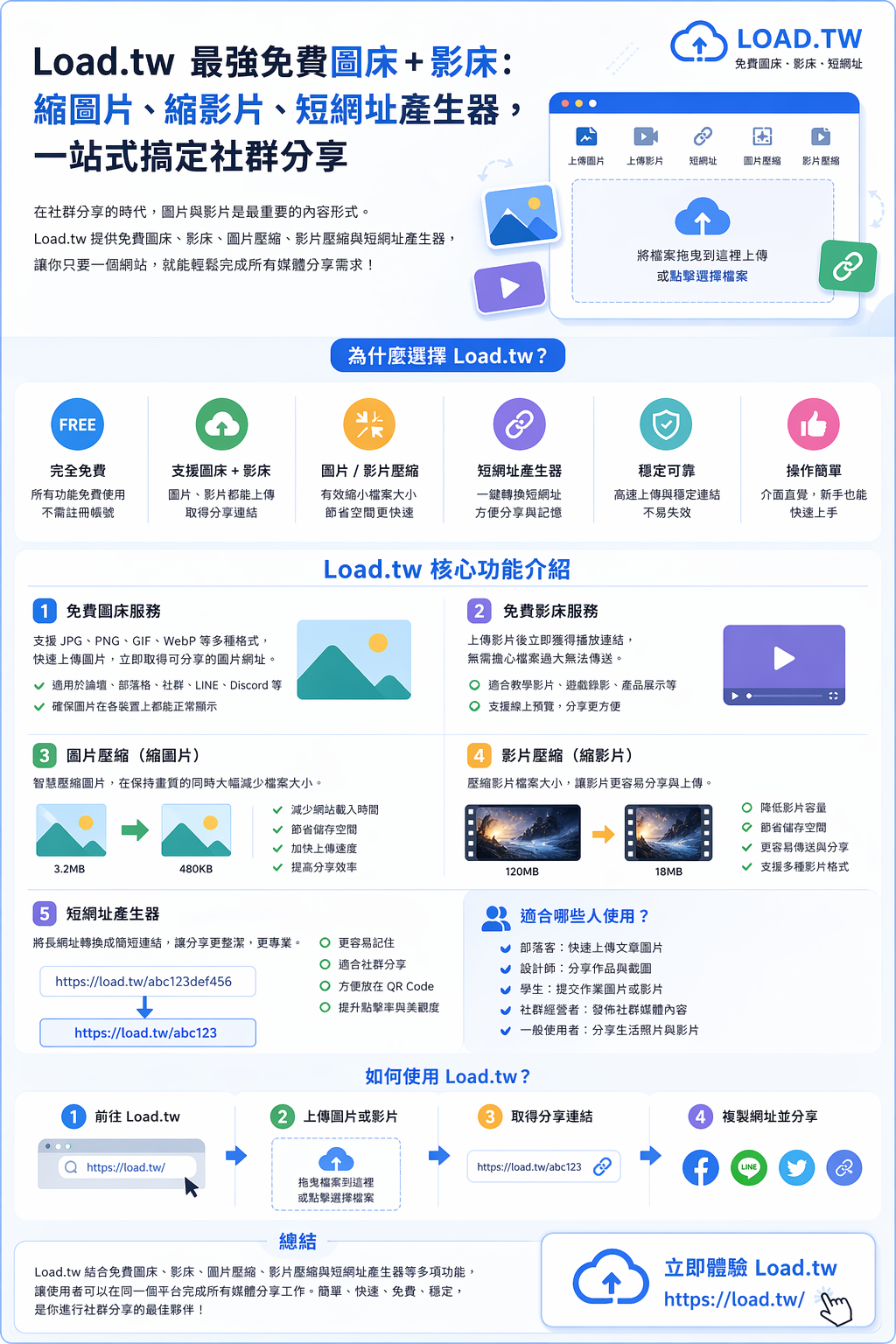
Load.tw 最強免費圖床 + 影床:縮圖片、縮影片、短網址產生器,一站式搞定社群分享
結合免費圖床、影床、圖片壓縮、影片壓縮與短網址產生器等多項功能,讓使用者可以在同一個平台完成所有媒體分享工作。
 2026.04.24
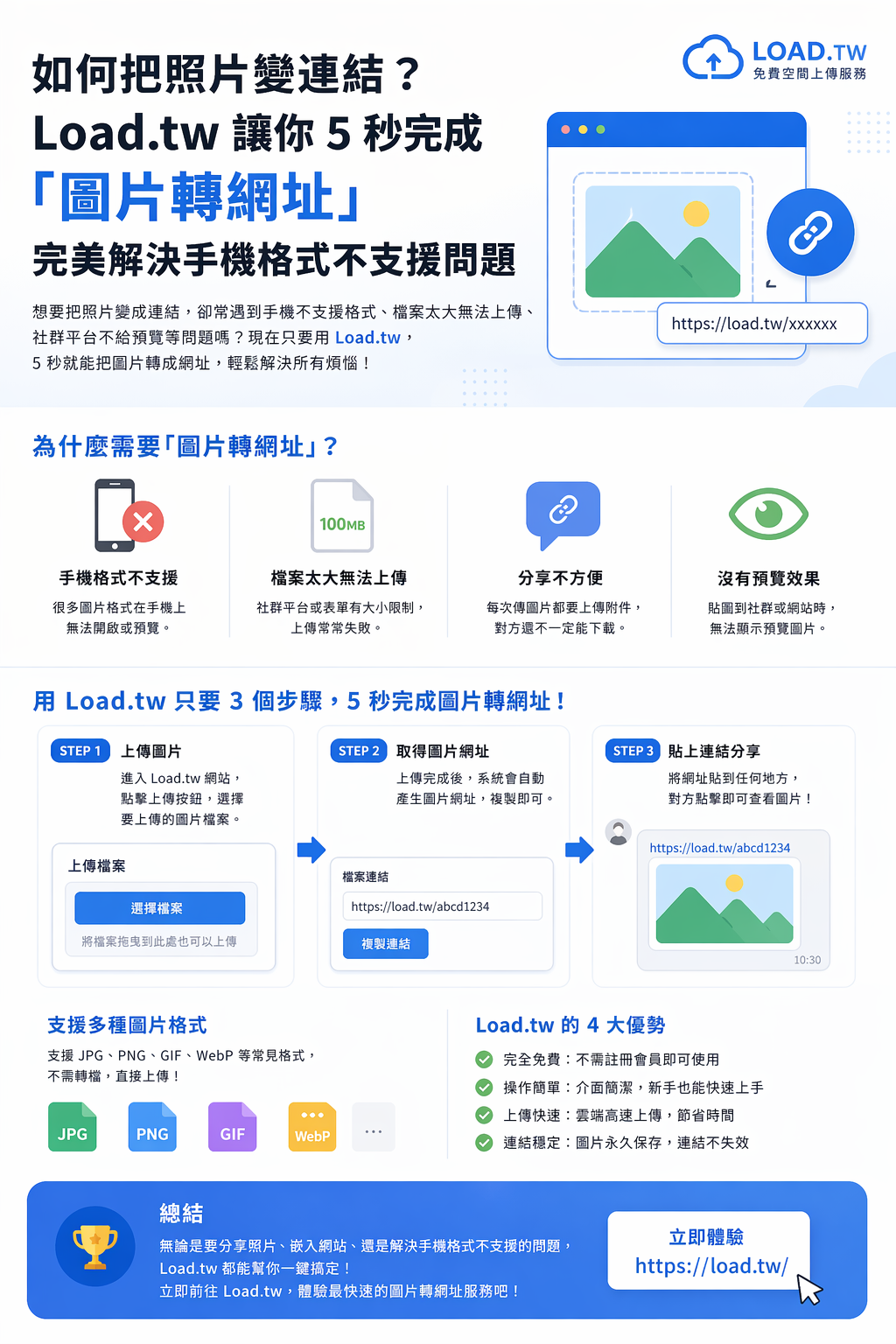
如何把照片變連結?Load.tw 讓你 5 秒完成「圖片轉網址」,完美解決手機格式不支援問題
如果你經常需要分享照片,又想避免檔案過大或格式不支援的問題,Load.tw 絕對是一個值得嘗試的工具,只要簡單三步驟,就能快速生成圖片連結!
Write for the load.tw blog
Have something worth reading — a workflow you worked out, a comparison you actually ran, a mistake that cost you a weekend? Write it up and we will publish it here, with your name and a link to your site at the end.
Who this is for
Small shops, side projects, agencies, SaaS teams, creators — anyone who wants their site in front of readers who are already looking for this kind of thing. A well-written article keeps bringing people in long after a paid post has stopped.
How it works
- Sign in with Google. One click. We need it so we can email you the result and so you can edit your draft later.
- Write the article in Markdown. Headings, bold, lists, links, images. There is a preview button that shows exactly what will be published.
- Submit for review. We read every submission by hand, usually within one to three working days.
- It goes live. You get an email with the link. If it is not a fit, you get an email saying why, and you can fix it and resubmit.
What gets published
- At least 300 characters, and genuinely written for a reader — not 300 characters of keywords.
- Your own work. Not copied from elsewhere, not bulk-generated.
- Concrete beats generic: real numbers, real screenshots, the thing that actually went wrong.
- One site to feature, named clearly. We would rather you say what you are promoting than hide it in the third paragraph.
What does not
- Pure advertising with no article around it.
- Gambling, adult content, counterfeit goods, anything illegal in Taiwan.
- Articles written only to place a link, where the text is filler.
- Anything already published elsewhere — duplicate content helps nobody's ranking, including yours.
About the links
Every external link in a submitted article carries rel="nofollow ugc". That is Google's own guidance for user-contributed content, and it keeps this blog from being treated as a link farm — which would hurt you as much as us. What you get is real: readers who click through, brand exposure on a page that ranks, and a page you can point people at.